AB3AP W1 Control Software
The software provides three faces to your W1:
| Analog, |
W only, | dual needle display optionally with "lollipops"
showing digital readings. |
| Digital, |
W or dBm, | VU meter style direct readings from W1. |
| Tiny, |
W or dBm, | readings displayed as text. SWR color
coded green (<= 1.5), yellow (<= 2.5), or red. Thanks to Heinz HB9BCB
for the excellent suggestion for this face. |
The program will autoconnect to the W1, so be sure it is turned on
first. Options are chosen by bringing up a pop up menu in the program.
Running Program
Run it on this page.
Screen Shots
Analog
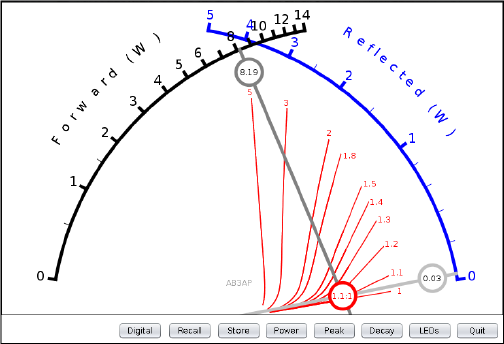
Smaller than actual size for easier web viewing.
Digital
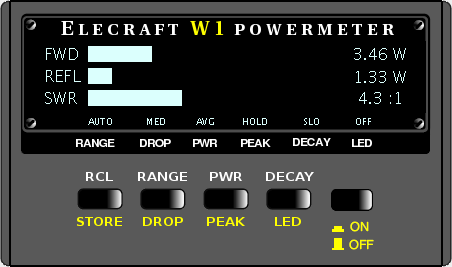
Actual size.
Tiny
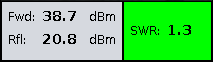
Actual size.
Note
Keep in mind the W1 readings are accurate within 0.5 dB or about 10%.
Digital values often imply more than is there! However, values displayed
are as reported by the W1 and might be helpful in watching trends. SWR,
incidentally, is calculated and not read from the W1.
Buttons
Here are brief descriptions of the buttons. These buttons simply provide
access to existing functions in the W1. They aren't providing extended
functionality except that decay, drop, and range changing rate are also
somewhat reflected on-screen.
- LOLLIPOPS/PLAIN. Turns on/off digital "lollipops" on analog face.
- RCL. Recalls from eeprom last saved user settings.
- STORE. Stores current settings in eeprom.
- RANGE. Lets you specify particular measurement range in addition to
AUTO.
- DROP. Specifies how quickly or slowly the W1 should change scales
during AUTO scaled measurements.
- PWR. Allows you to take measurements as average or PEP.
- PEAK. Set or not depending on whether you you want peak or peak-hold
readings.
- DECAY. How fast you want LED display to decay. Also used to indicate
how fast software peak-hold values should decay.
- LED. Used to turn on or off the W1 LEDs.
How It Works
In addition to responding to button pushes with appropriate commands, the
following is performed endlessly:
- Send W1 command to read forward power reading.
- Wait 60 msec and retrieve response.
- Display measurements on meter face.
- Send W1 command to read reflected power reading.
- Wait 60 msec and retrieve response.
- Display measurements on meter face.
- Calculate SWR. For f forward and r reflected power in Watts,
let g = sqrt(r / f). Then swr = (1 + g) / (1 - g).
- Display measurements on meter face.
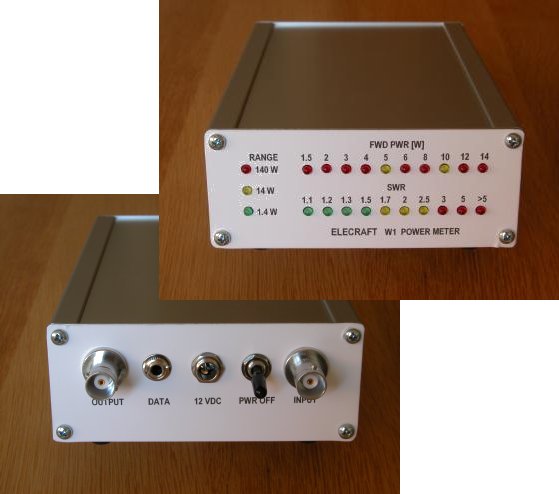
Hardware Enclosures
For hardware solutions to making your W1 more usable, take a look at
the first class job by Heinz HB9BCB.
Heinz has made similarly outstanding enclosures for the other Elecraft
mini module kits.
If that looks like more work than you're ready for, consider W8FGU's site where he sells an
enclosure for the W1. It requires no modifications to the kit and is a
quick and easy install.
Hardware enclosures and this software ought to nicely enhance the
utility of your W1.